Available for Windows
Your coding agents.
One calm workspace.
Run multiple AI coding CLIs across your projects without losing the thread. Vibeforge keeps terminals, files, chat history, source control, and usage limits together.
 Vibeforge6 sessions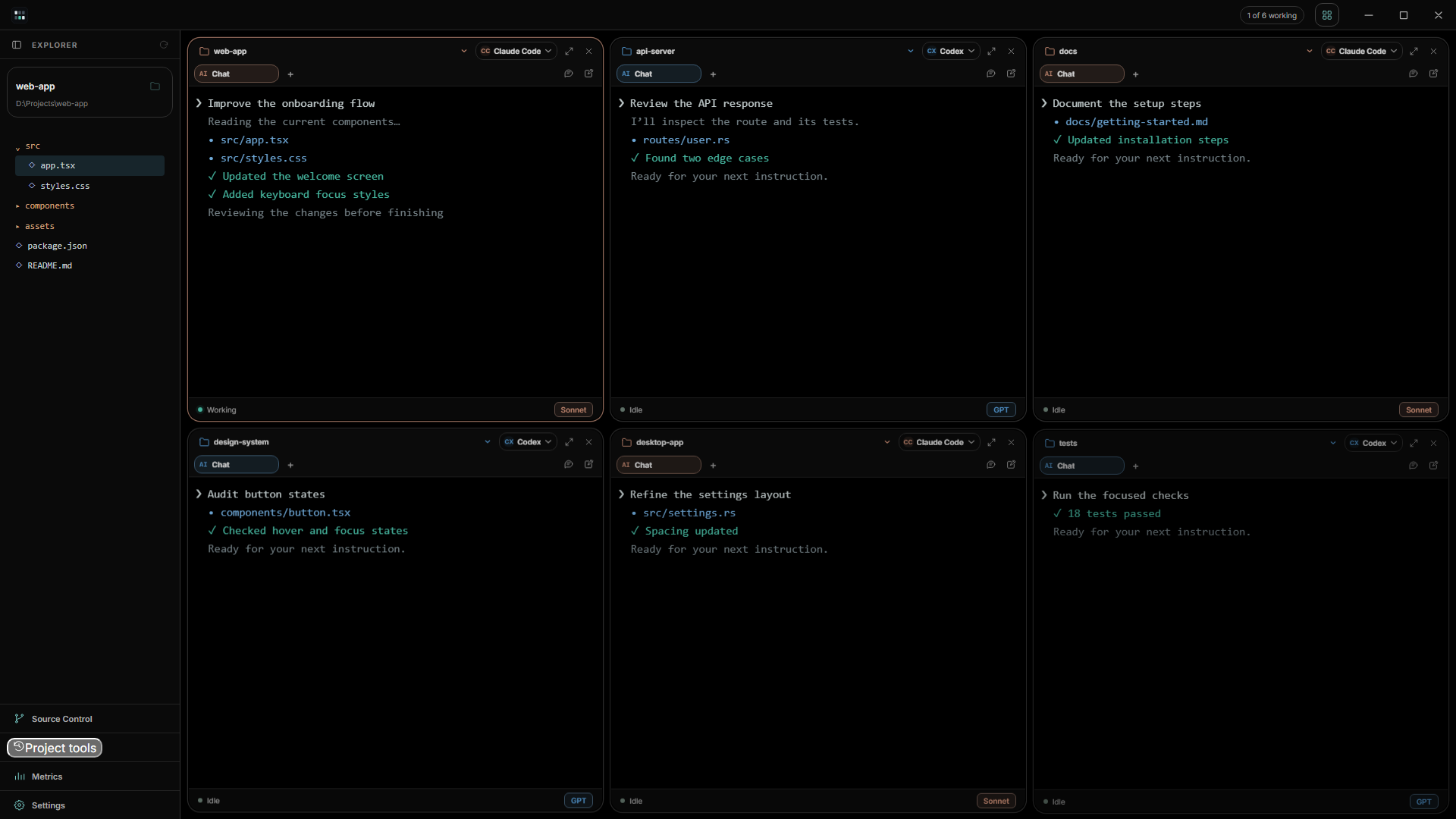
01Choose a project
02Select an installed agent
03Code with the context intact
Built for parallel work
See every active project without turning your desktop into a pile of windows.
Give each session its own project and coding agent. Resize the workspace from one to eight sessions, hide what you are not using, and bring it back without rebuilding your setup.
Everything stays close
The tools around the terminal matter too.
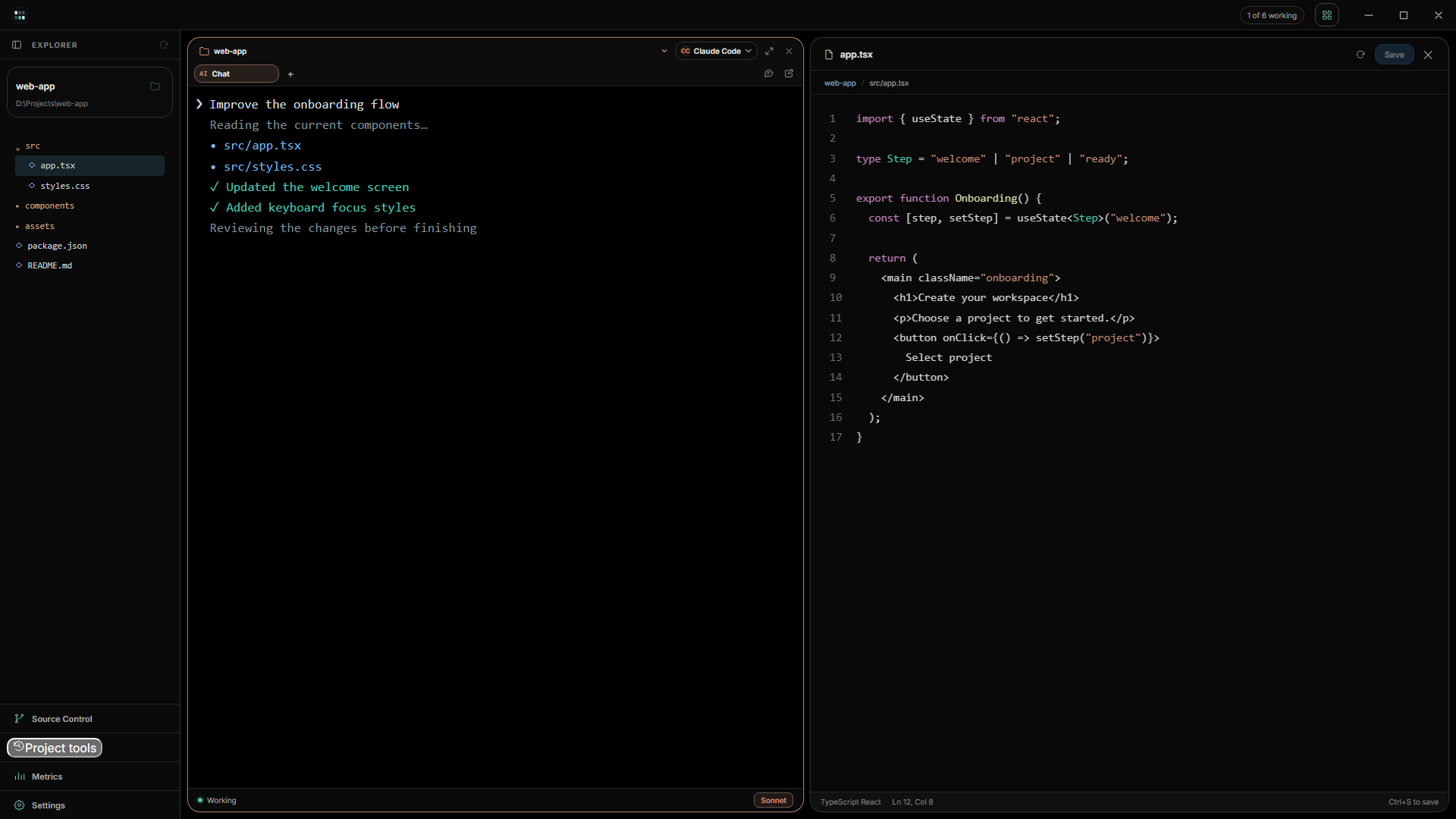
Edit without leaving the workspace
Open a file from the project explorer and keep the focused coding session beside it. The editor closes back into your original workspace when you are done.
- Project-aware explorer
- Built-in code editing
- Large-file and document previews
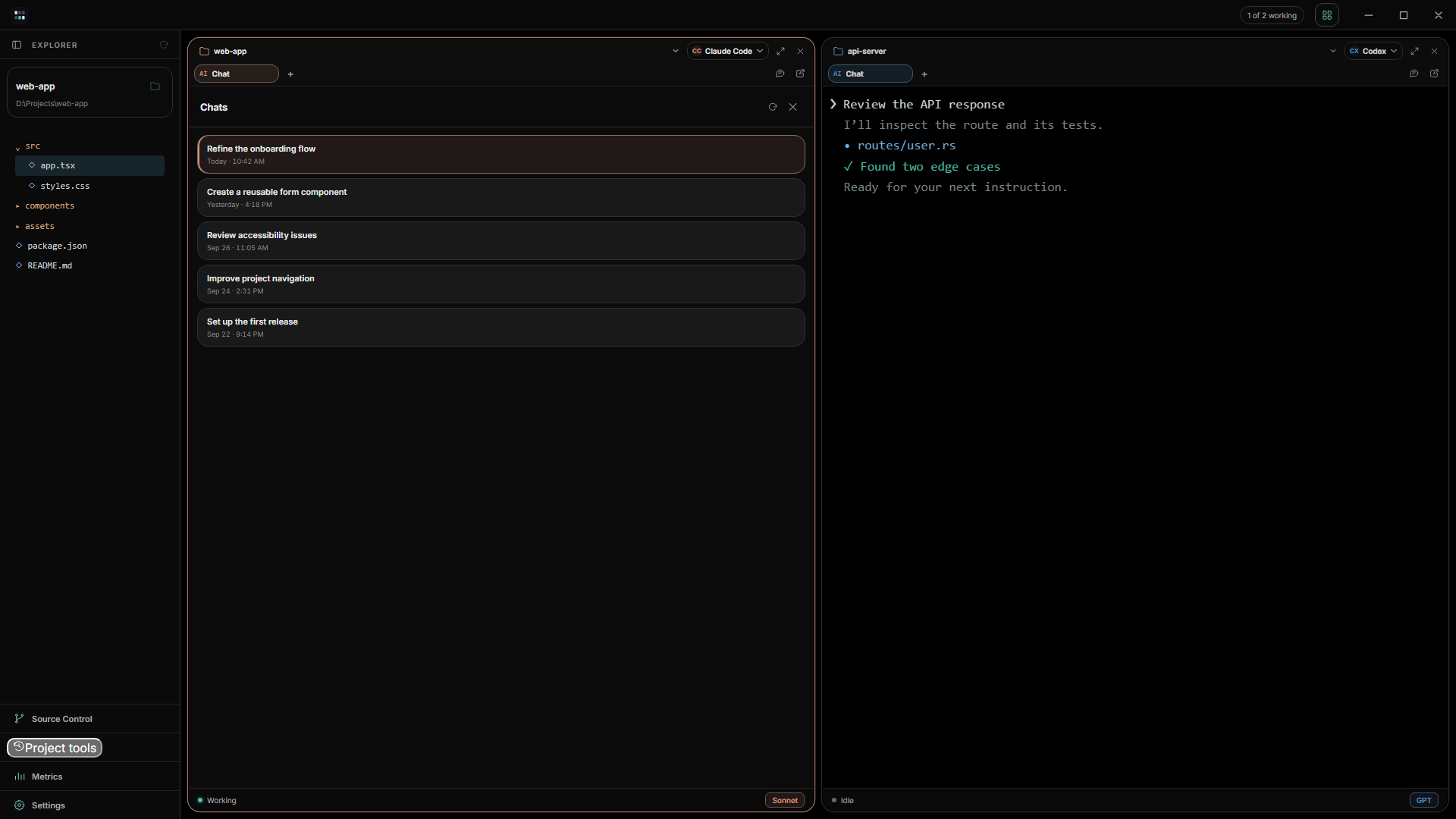
Return to the conversation that matters
Browse compatible local chat history by project and agent. Resume prior work with its context or start a clean session whenever the task changes.
- Project-linked history
- Session recovery
- Agent handoff
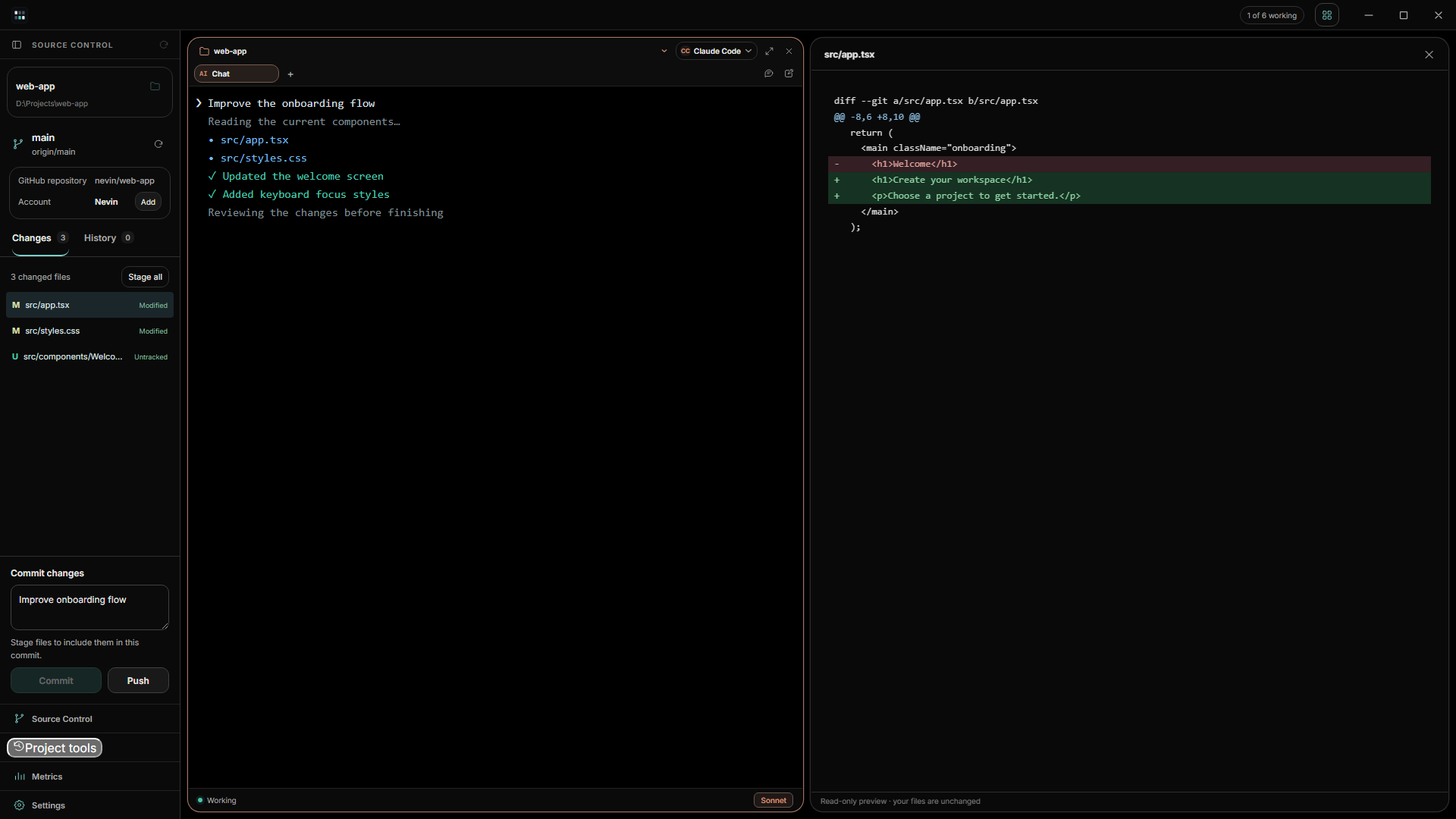
Review the work before it leaves your machine
Inspect changed files and diffs, stage what belongs in the commit, then commit and push through the Git credentials already configured on your system.
- Changed-file tree
- Readable diff view
- Stage, commit, and push
Your workspace, your way
A focused interface that still feels like yours.
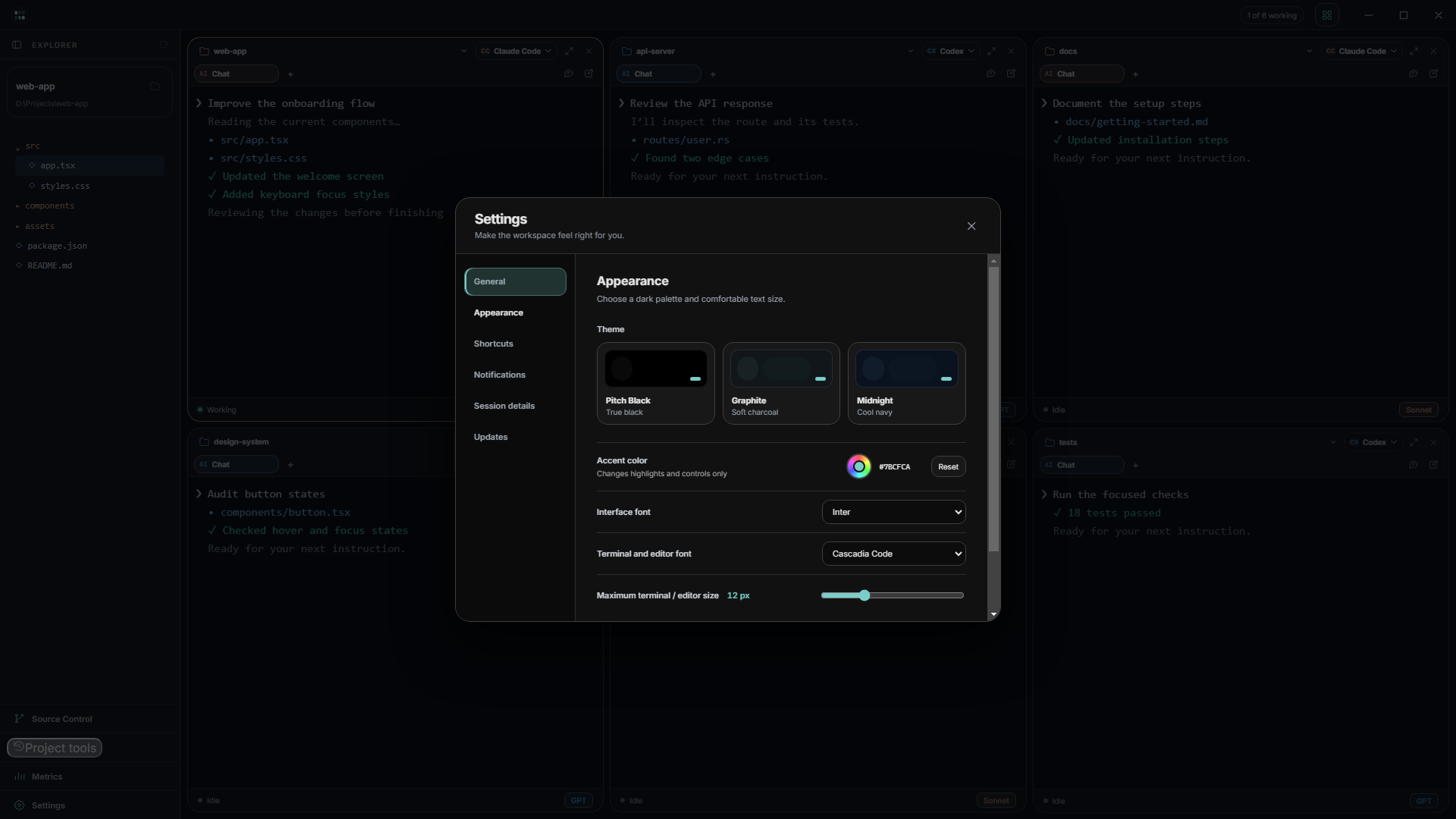
Choose the accent, interface type, terminal size, shortcuts, startup behavior, session details, and quiet completion alerts. Usage limits stay visible only for agents selected in the workspace.
- Layout
- 1–8 sessions
- Theme
- Dark, adjustable accent
- Metrics
- On demand
Before you install
The practical details.
Is Vibeforge free?
Two coding windows and Chat in one workspace stay free. Monthly and Lifetime plans unlock the full workspace. See pricing and compare plans.
Does Vibeforge include AI models?
No. Vibeforge works with supported coding CLIs installed on your computer. Install and sign in to each provider separately, then select the agent for a session.
Can I open existing projects and chats?
Yes. Select a local project folder for a session. The explorer, editor, compatible local chat history, and source control follow that project.
Does Vibeforge upload my code?
Vibeforge does not upload your project to its own server. Coding agents and Git remotes communicate according to the provider and repository actions you choose.
What version of Windows do I need?
Vibeforge is built for modern 64-bit Windows systems. The Microsoft Store checks device compatibility before installation.
Available now